Your booking website, ready in minutes.
A minimal booking wizard your guests can use in seconds: choose date, time, area, and confirm from any device. You control every detail from the settings panel.
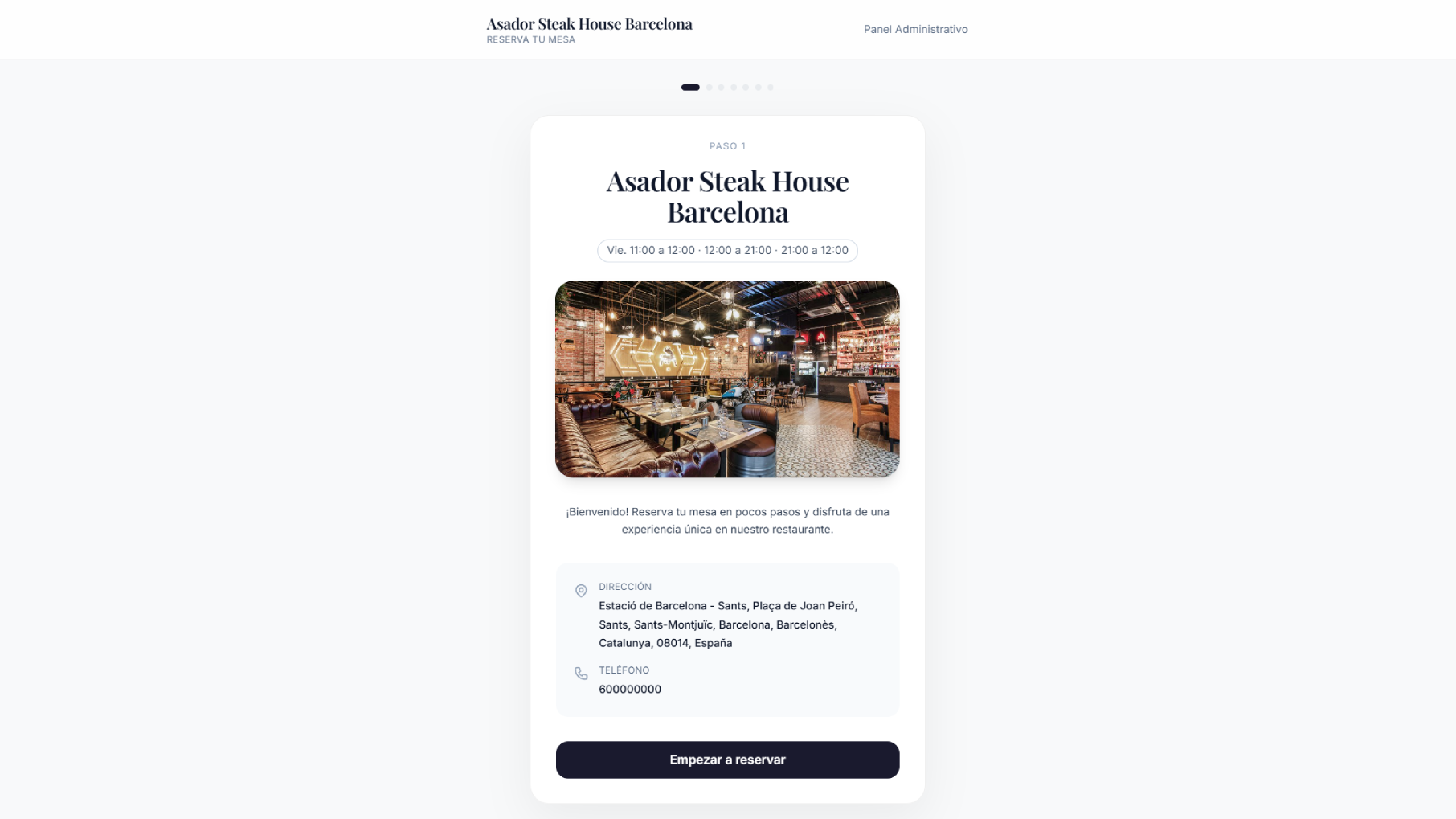
4-step wizard
Date - Time - Area - Confirmation
No friction
Book in < 60 seconds
Designed to convert
Every step is built for guests
A clean, distraction-free flow that guides guests from start to finish on any device.
4
Wizard steps
Date, time, area, and guest details
<60s
Average booking time
Validated in usability testing
100%
Responsive
Optimized for mobile, tablet, and desktop
SEO
Schema.org included
Restaurant + ReserveAction for Google
Booking flow
Guests book in four steps
Each screen is clean and focused. No impossible forms. The progress bar guides guests through the whole process.
Choose the date
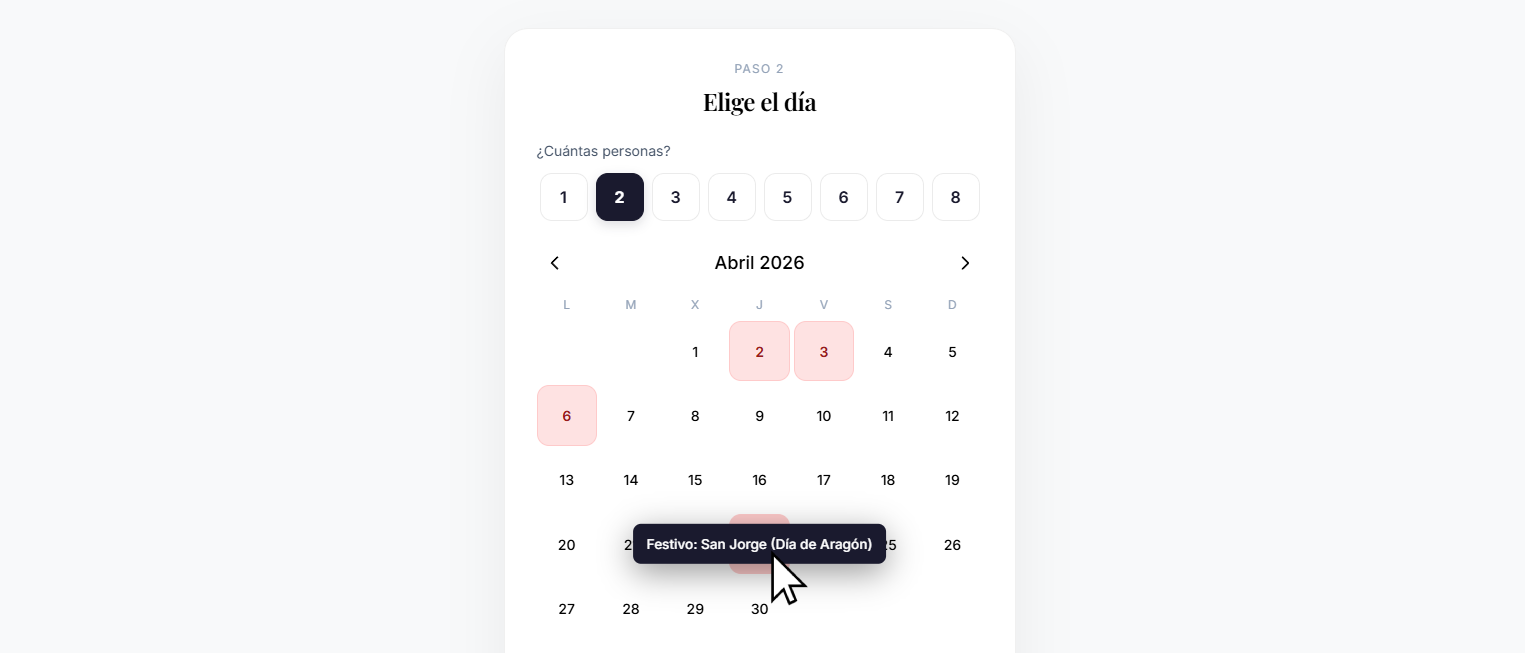
A clean and clear calendar where guests pick the day. Holidays are highlighted, while blocked or unavailable days are automatically disabled.
- ✓ Highlighted holidays with labels
- ✓ Configurable minimum advance time (e.g. 2h)
- ✓ Configurable max booking horizon (e.g. 30 days)
- ✓ Today is highlighted differently
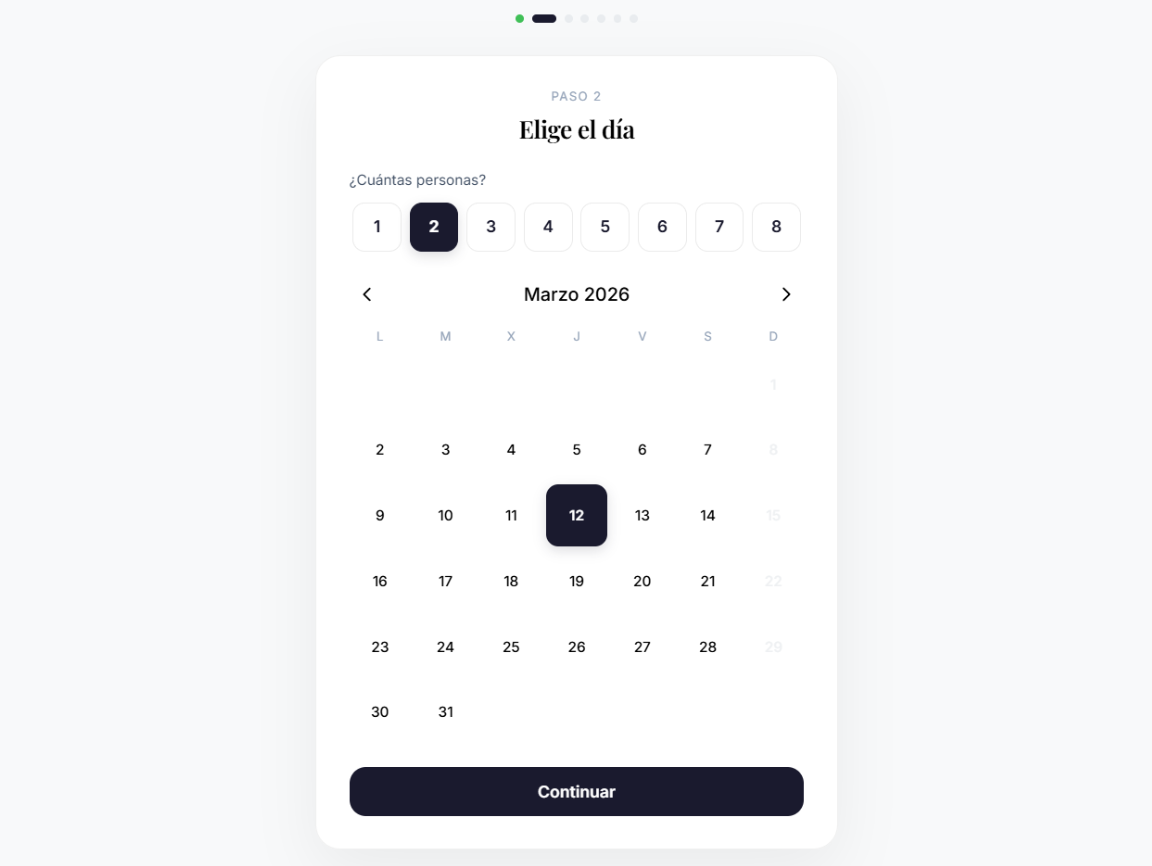
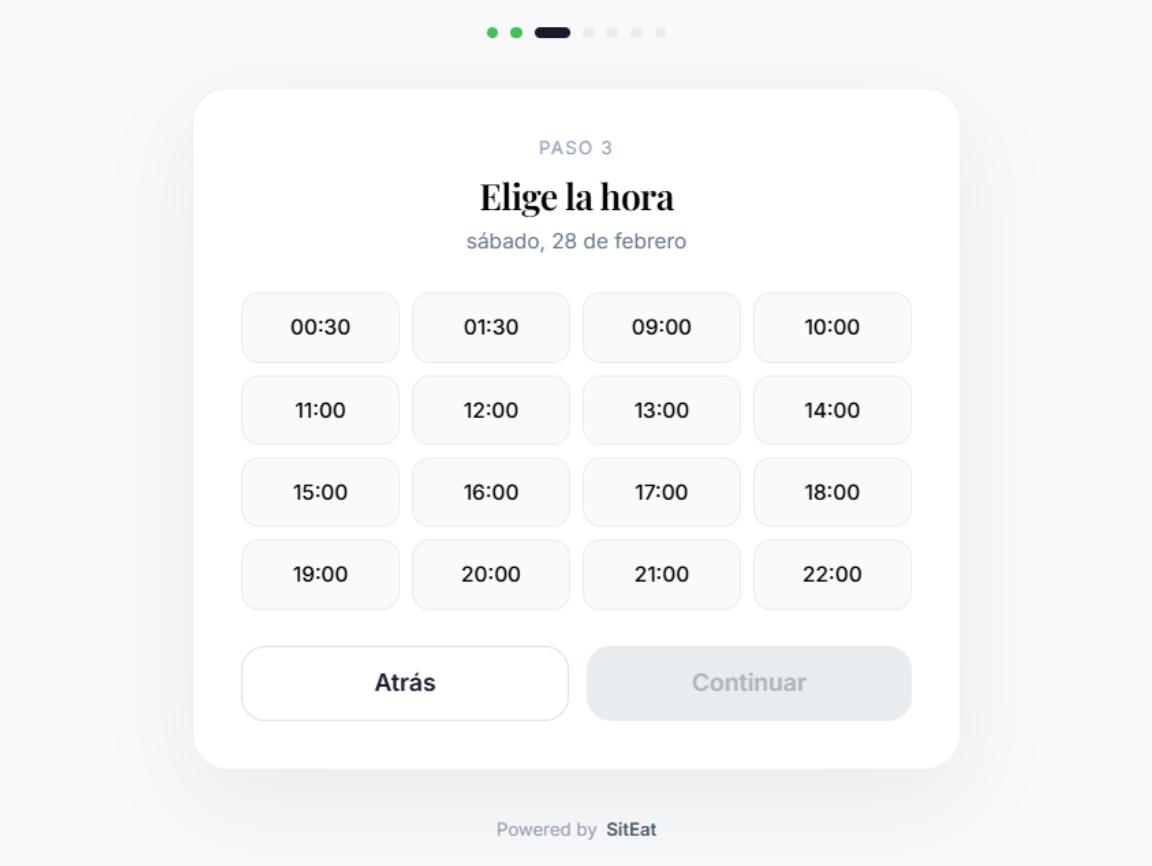
Choose time and party size
Available time slots are calculated in real time based on current occupancy, configured reservation length, and restaurant opening hours. Party-size selection is visual and accessible.
- ✓ Configurable slot interval (15, 30, 60 min)
- ✓ Slots blocked when max occupancy percentage is exceeded
- ✓ Minimum minutes before closing to stop new bookings
- ✓ Configurable min/max party size per restaurant
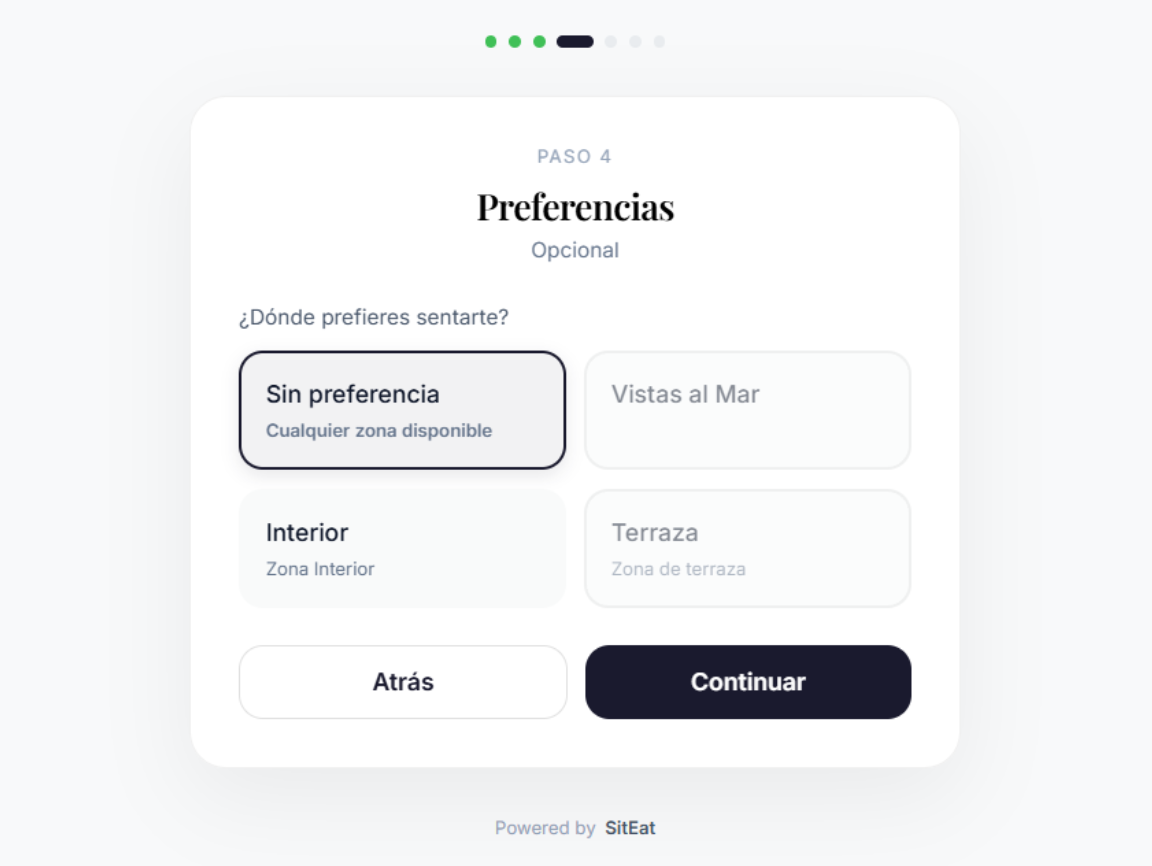
Area and preferences
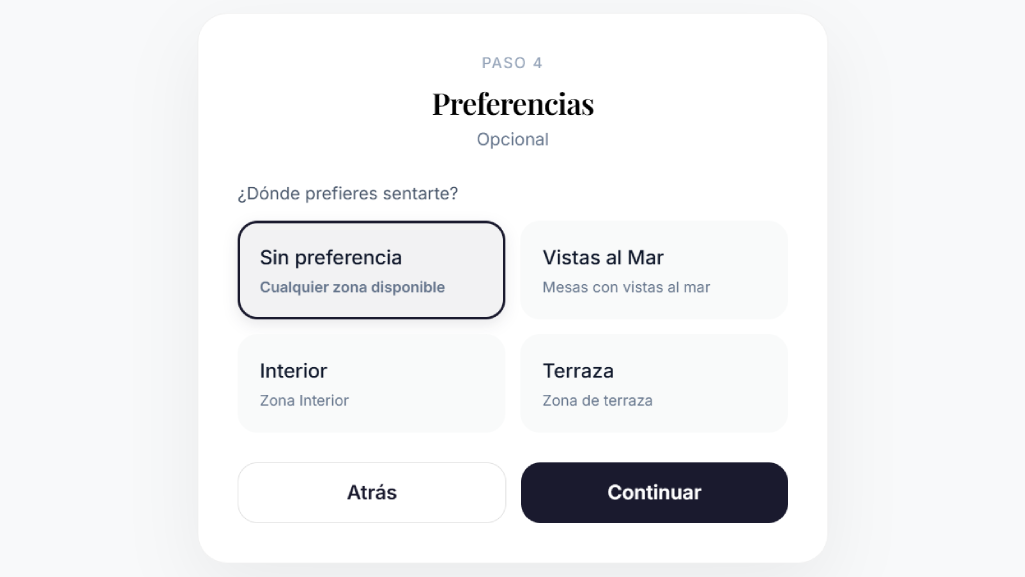
Guests can choose an area (terrace, indoor, private room) if enabled. An optional preferences step can be enabled or disabled from the configuration panel.
- ✓ Areas created from the configuration panel
- ✓ Max capacity per area (no booking when full)
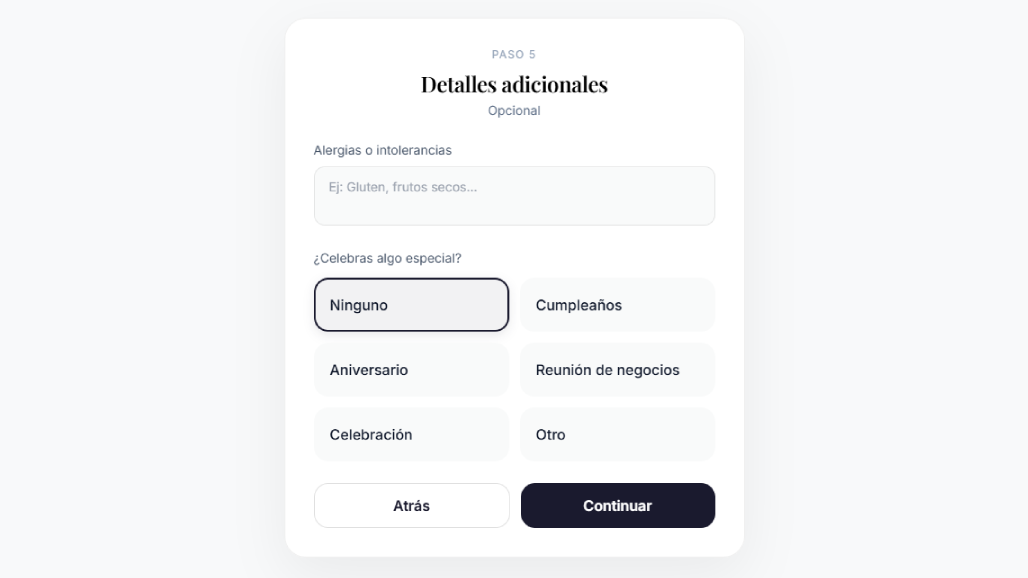
- ✓ Optional preferences step (allergens, celebration, etc.)
- ✓ Special events with limited capacity and custom description
Guest details and confirmation
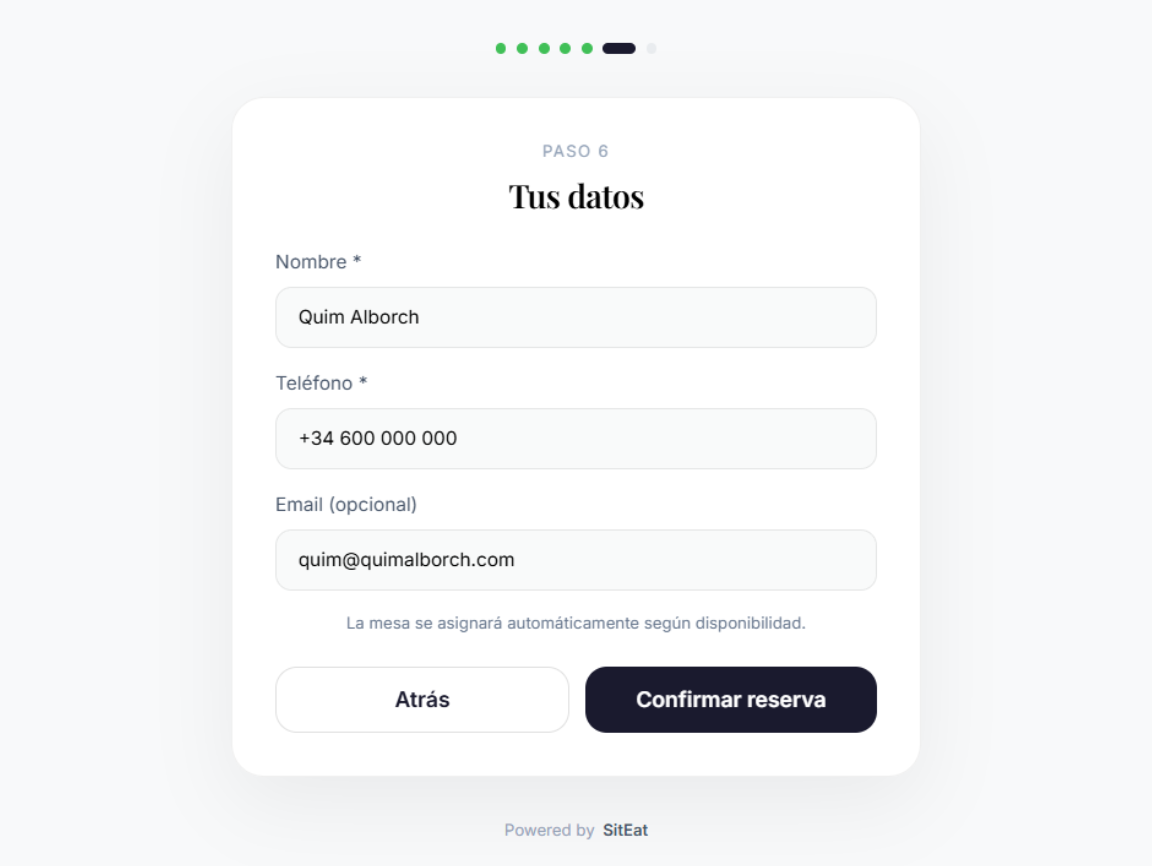
Guests enter name, phone, and email (or log in if required). On confirmation, they receive a unique code to manage their reservation without creating an account.
- ✓ Unique booking code for passwordless access
- ✓ Optional login when restaurant wants identified guests
- ✓ Custom welcome and confirmation messages
- ✓ Success screen with animation and full summary
Your own URL
A clean URL for your restaurant
Each restaurant gets its booking URL under your own subdomain. Share it on Instagram, Google Maps, your website, or QR campaigns.
Instagram Bio
Direct link in your profile
Google Maps
On the Book button
QR campaigns
QR code in digital or printed ads
Your brand
Your image, your booking
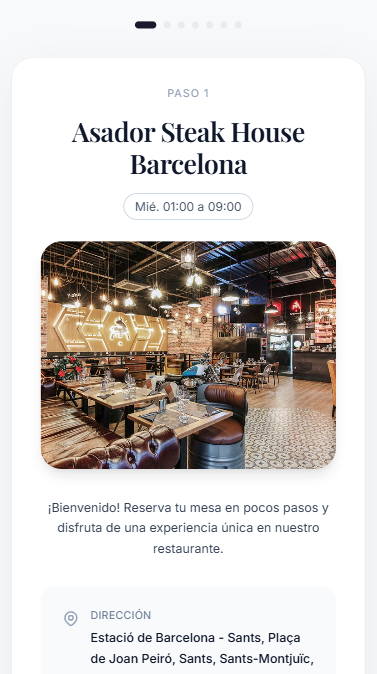
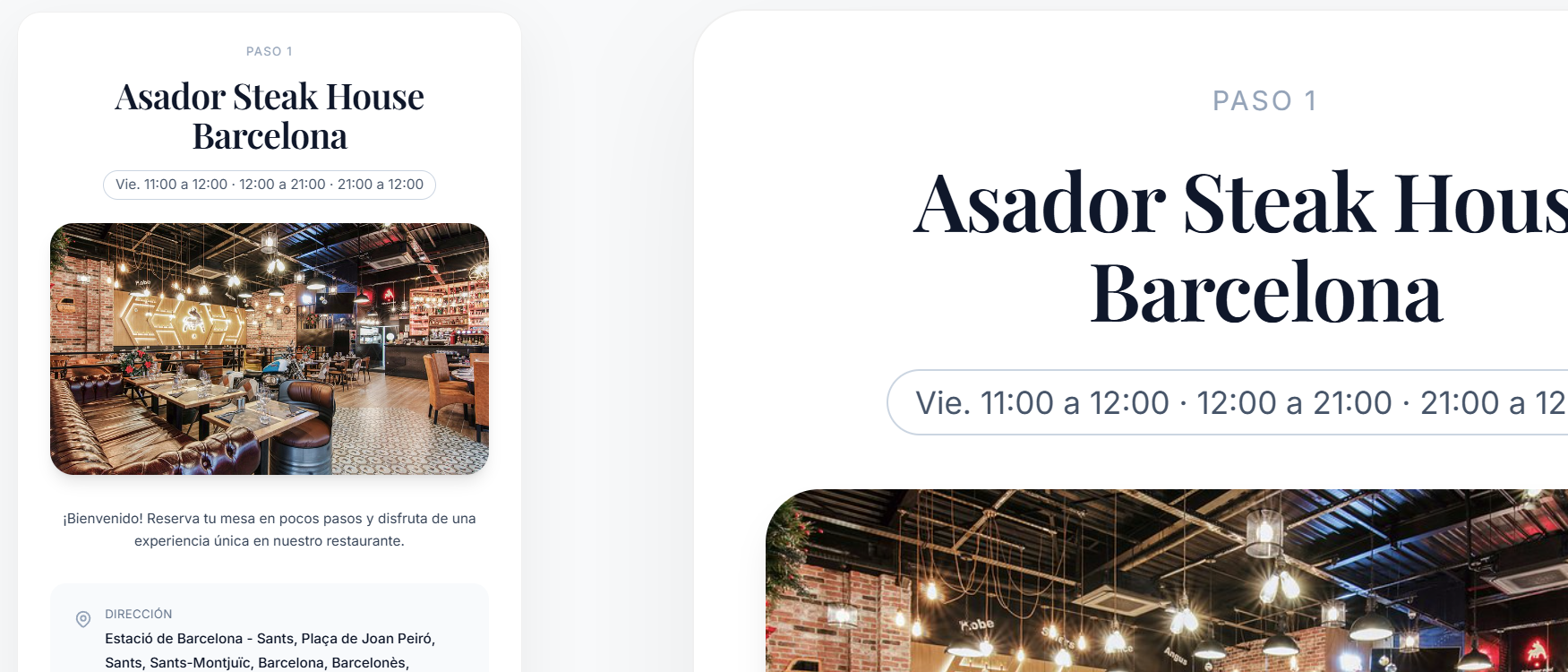
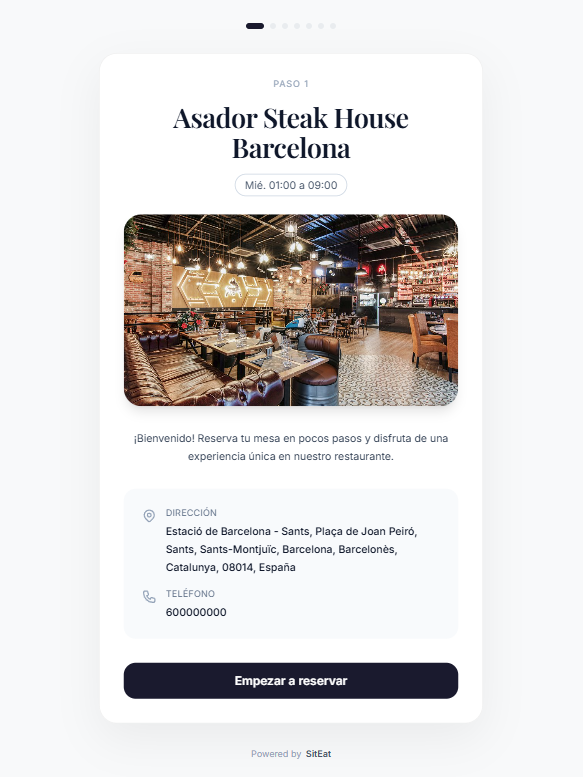
The booking page shows the full restaurant profile: cover image, name, description, cuisine, address, and opening hours.
Profile image
Upload your image from the settings panel. It appears in the booking header and social metadata.
Opening hours
Weekly opening hours are shown with real-time open/closed status based on the guest time.
Address with map
The address is clickable and opens Google Maps or Apple Maps based on the guest device.
You are in control
Configure every booking parameter
From the reservation settings panel, you can tune all wizard behavior: schedules, occupancy, messages, areas, and more.
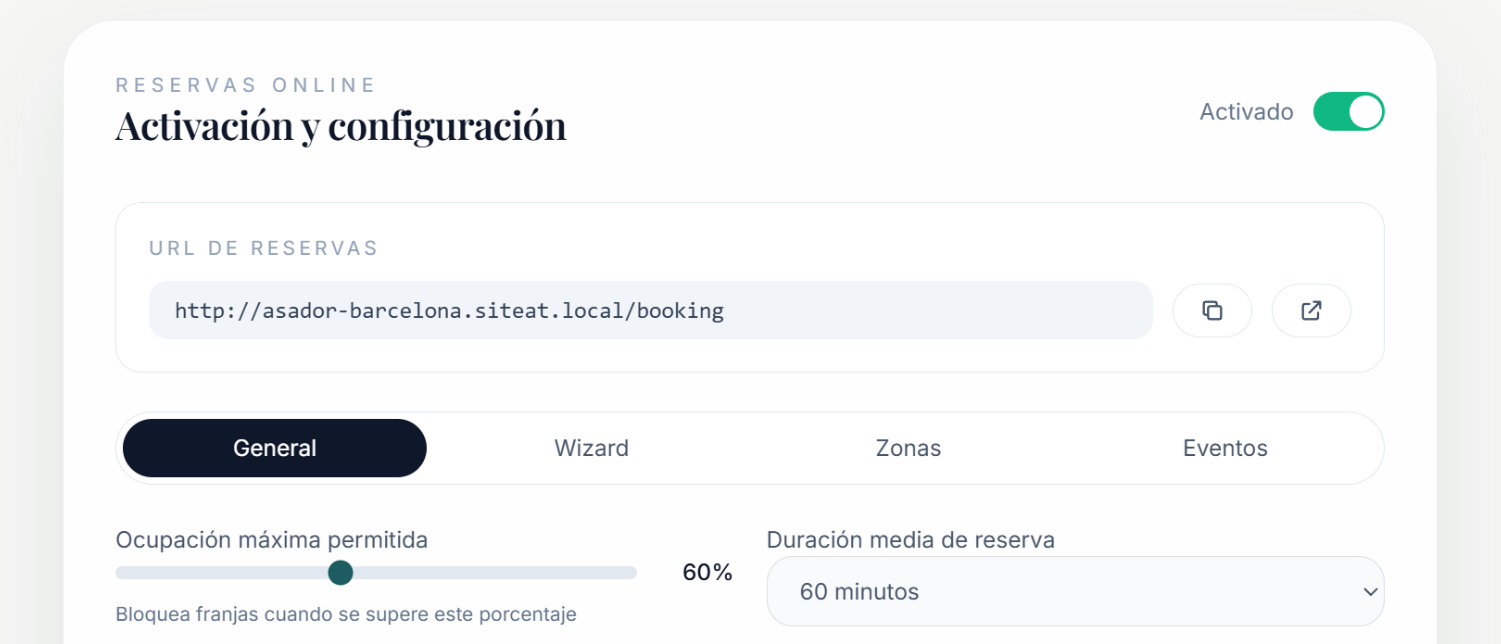
General settings
- Enable/disable bookings Toggle
- Maximum occupancy % Slider
- Average booking duration Select
- Time-slot interval Select
- Minimum lead time (hours) Select
- Maximum days ahead Select
- Min. minutes before closing Select
Customization
- Welcome message Free text
- Confirmation message Free text
- Restaurant profile image Upload
- Preferences step (wizard) Toggle
- Require customer login Toggle
- Minimum group size Number
- Hide Powered by SitEat Starter+ plan
Areas and events
Split your space, design experiences
Define independent areas with their own capacity. Create special events with limited capacity for theme nights and unique occasions.
Restaurant areas
Terrace, indoor, private room, bar
- Area name and maximum guest capacity
- Enable/disable an area without deleting it
- Guest chooses area on wizard step 3
- Automatically blocked when full
Special events
Theme dinners, pairings, private services
- Event name, description, and max capacity
- Event start/end date and time
- Visible in the area step of the wizard
- Automatically hidden when capacity is reached
Guest self-service
Guests manage bookings without calling the restaurant
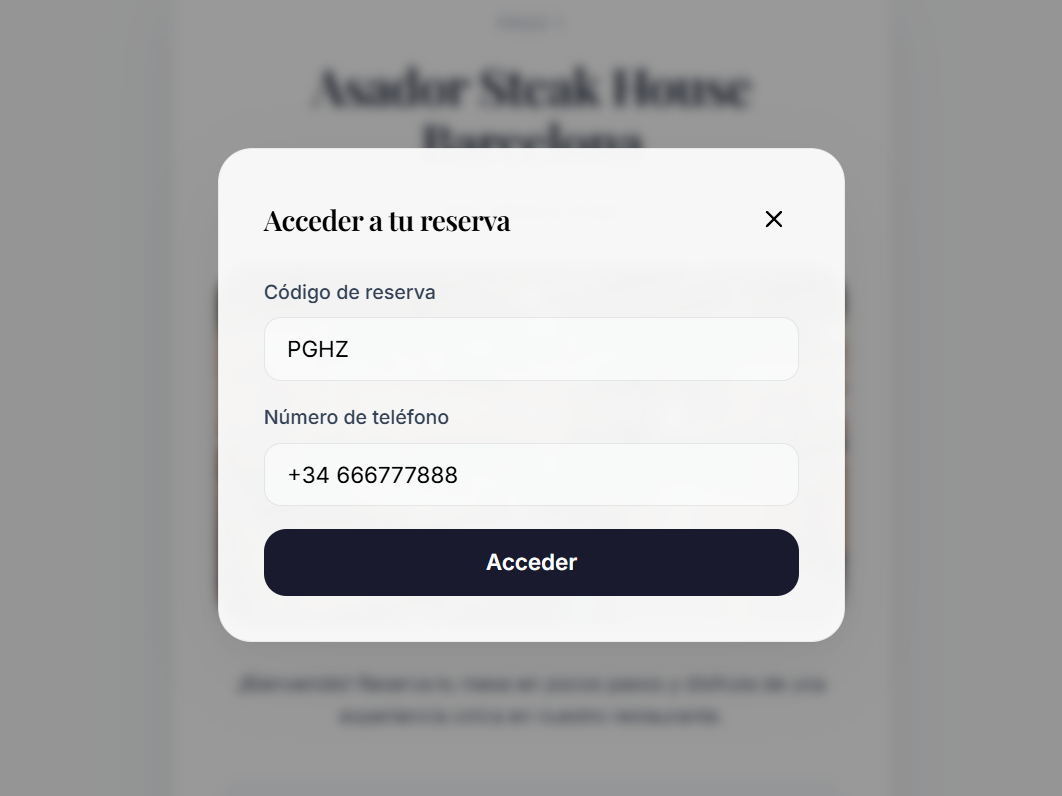
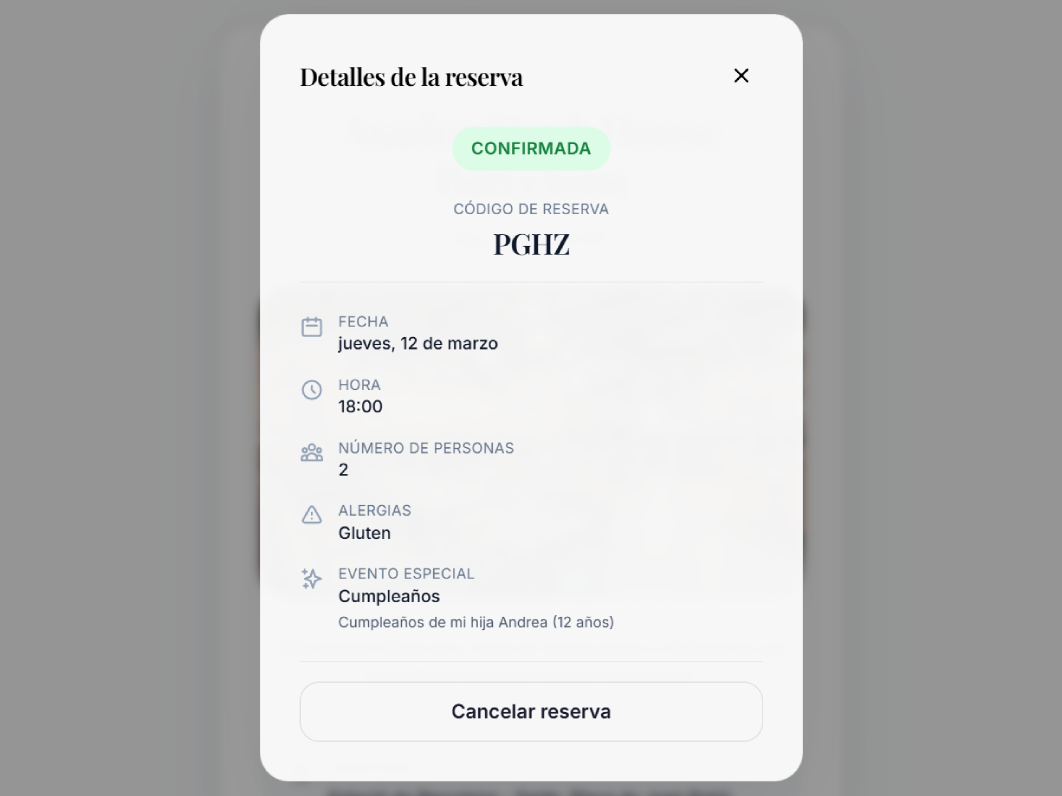
With booking code and phone number, guests can access their booking history anytime, view full details, and cancel if needed.
- ✓ My bookings modal available from booking header
- ✓ Access with booking code + phone (passwordless)
- ✓ Detailed reservation view with full data
- ✓ One-click cancellation directly in modal
- ✓ Optional SitEat login for persistent session
SEO included by default
Google will find you before your competition
Each booking page includes optimized SEO metadata, structured Schema.org (Restaurant + ReserveAction), and Open Graph sharing support.
No surprises
Holidays and special days
Define holiday dates in your restaurant and show them visually in the booking calendar so guests know availability instantly.
Holiday dates
Mark dates as holidays and they will appear highlighted in the guest calendar with a clear label.
Blocked dates
Block specific dates (vacation, maintenance, renovations) so guests cannot book them.
No impact on internal operations
Holiday settings affect only the public booking widget. Internal reservation management stays unchanged.
Adaptive design
Perfect on every screen
80% of online bookings happen on mobile. SitEat booking is mobile-first and works equally well on tablet and desktop.
Mobile
375 px - Touch gestures
Tablet
768 px - Two-column layout
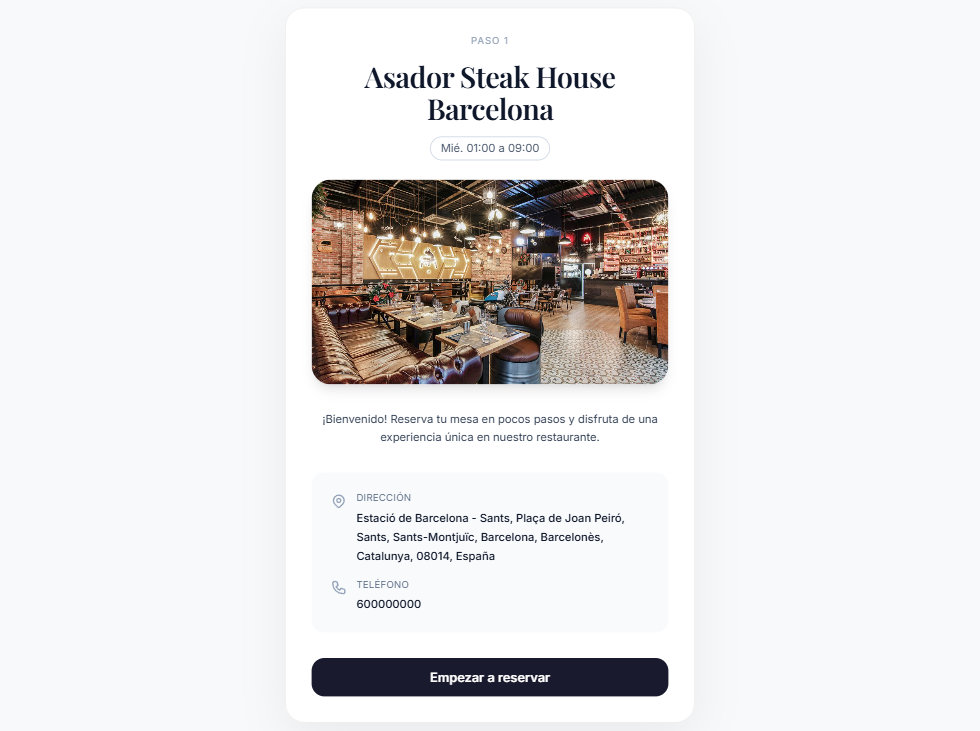
Desktop
1280 px - Centered wizard
Plans
Booking features by plan
Feature
Free
Starter
Professional
Start today
Your restaurant deserves real online bookings.
Enable SitEat booking in under 5 minutes and start receiving reservations without commissions or intermediaries.