Your whole kitchen, clear and in sync.
The kitchen app that shows what came in, what is being prepared, what is ready, and what already went out.
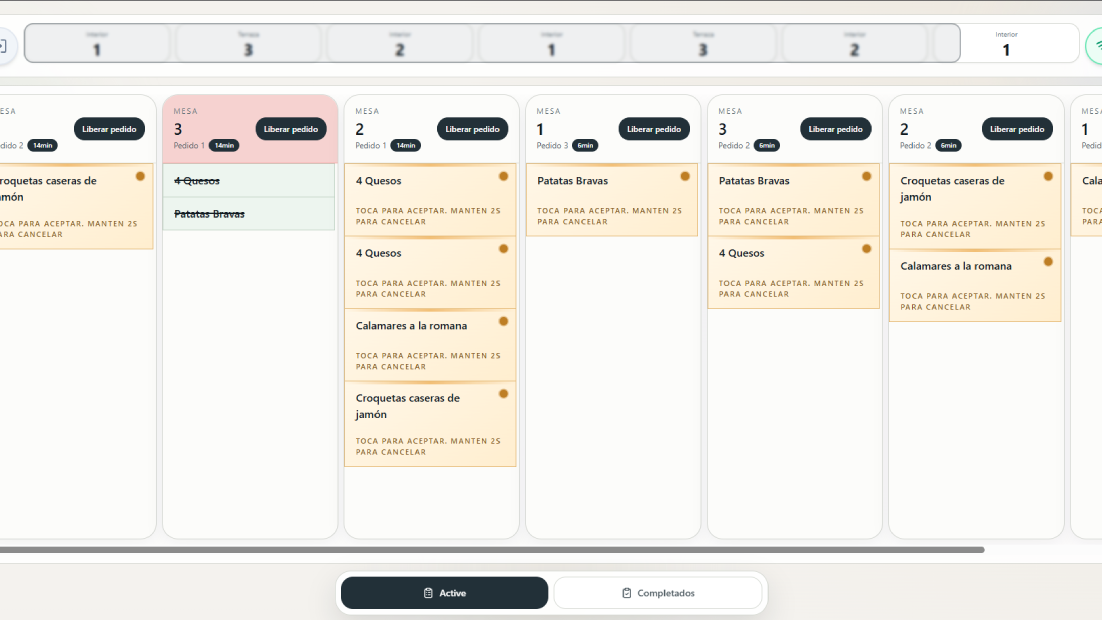
Active orders by table
Everything ordered to cook without noise
Clear alerts
New orders, changes, and cancellations
Full capability
What matters, always visible
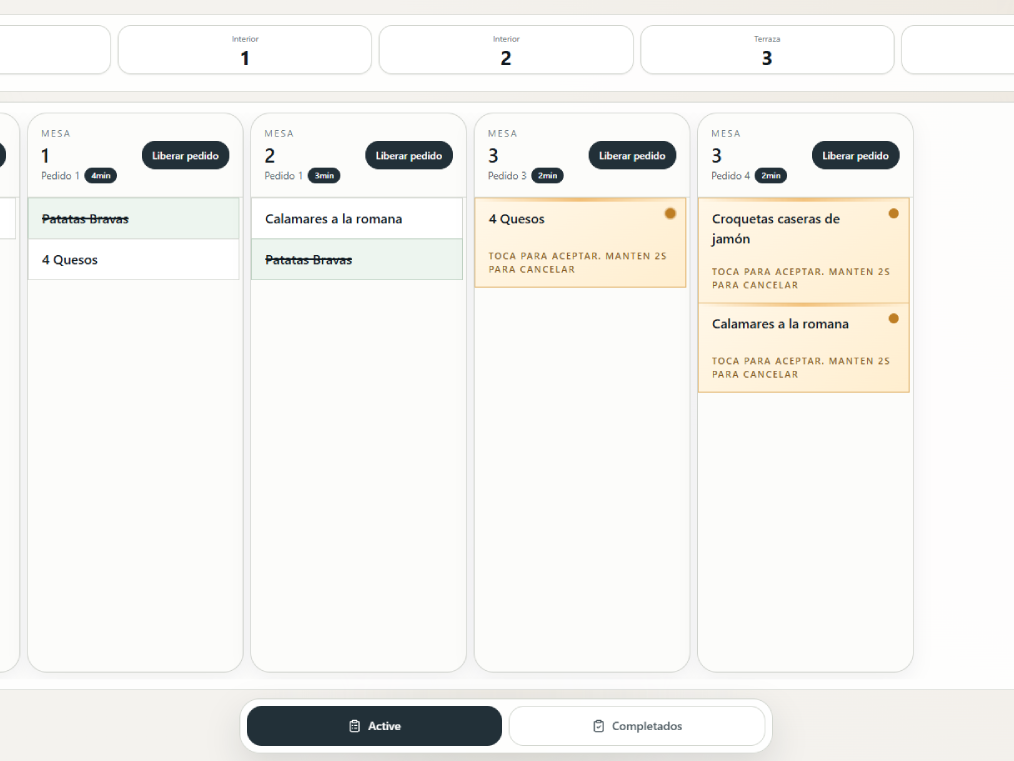
Kitchen works with active orders, item status, alerts, and quick actions in one screen.
4
Item states
Requested, in preparation, ready, and delivered
2
Work views
Active and recent completed
1
Tap to move forward
You change states with simple actions
Live
Connected team
Everyone sees the same status in real time
Kitchen flow
From order entry to pass, without losing track
The whole team follows the same workflow for every table.
A new order comes in
When an order arrives, kitchen sees it in its column with a clear visual signal to prioritize quickly.
- ✓ Table and order number always visible
- ✓ Elapsed time to keep pace
- ✓ Waiter note on the item
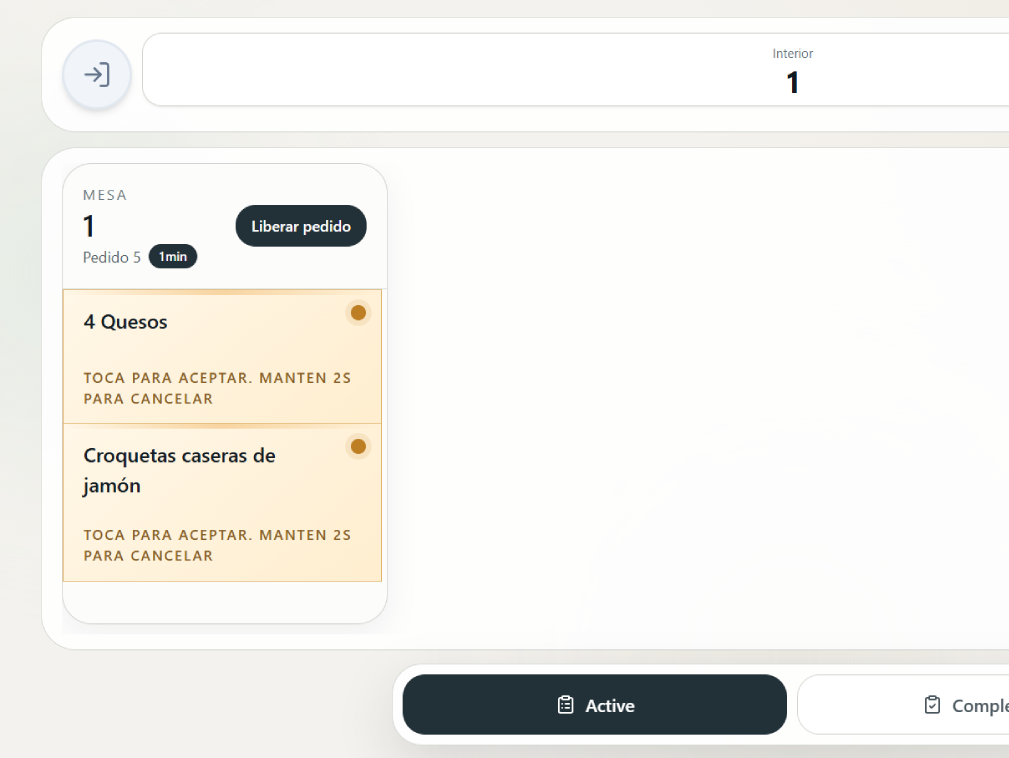
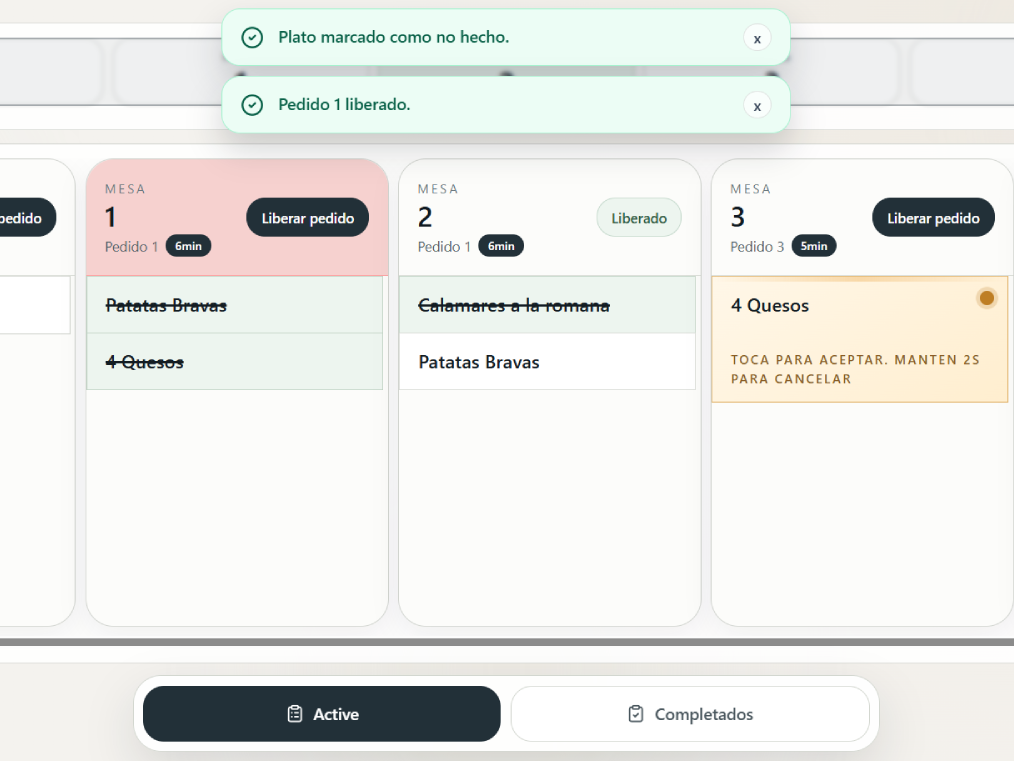
Each dish changes status clearly
Kitchen marks each dish stage so floor staff knows when to send and when to wait.
- ✓ Requested: just arrived
- ✓ In preparation: already in progress
- ✓ Ready: ready to go out
- ✓ Delivered: served at the table
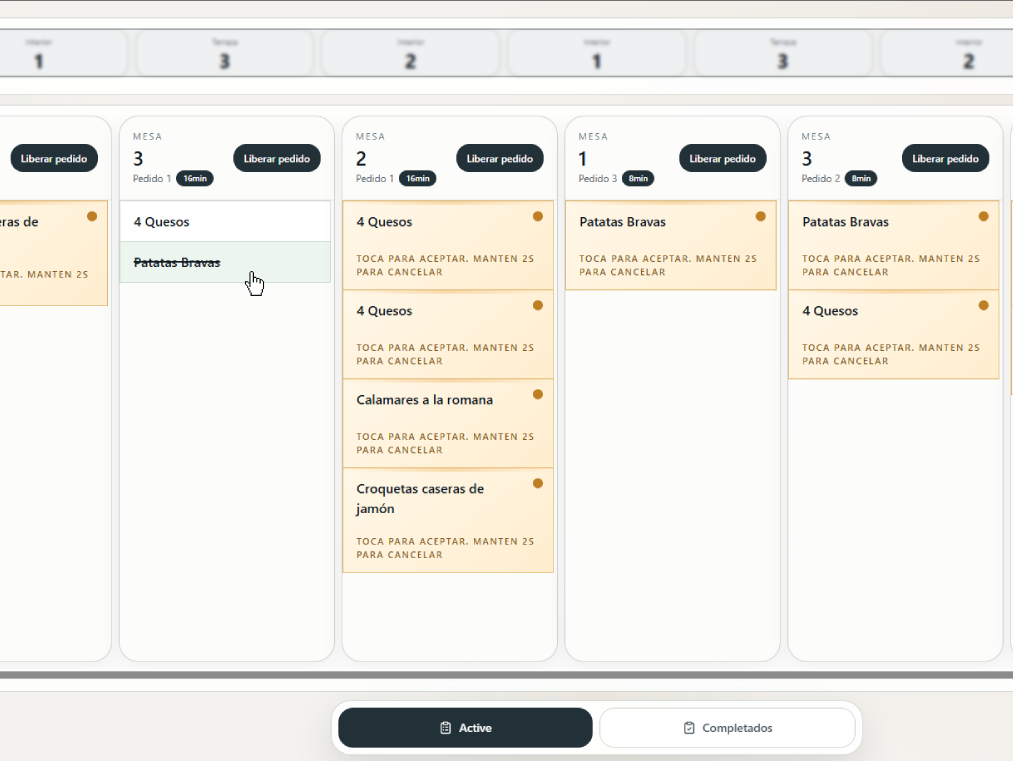
Release order when everything is ready
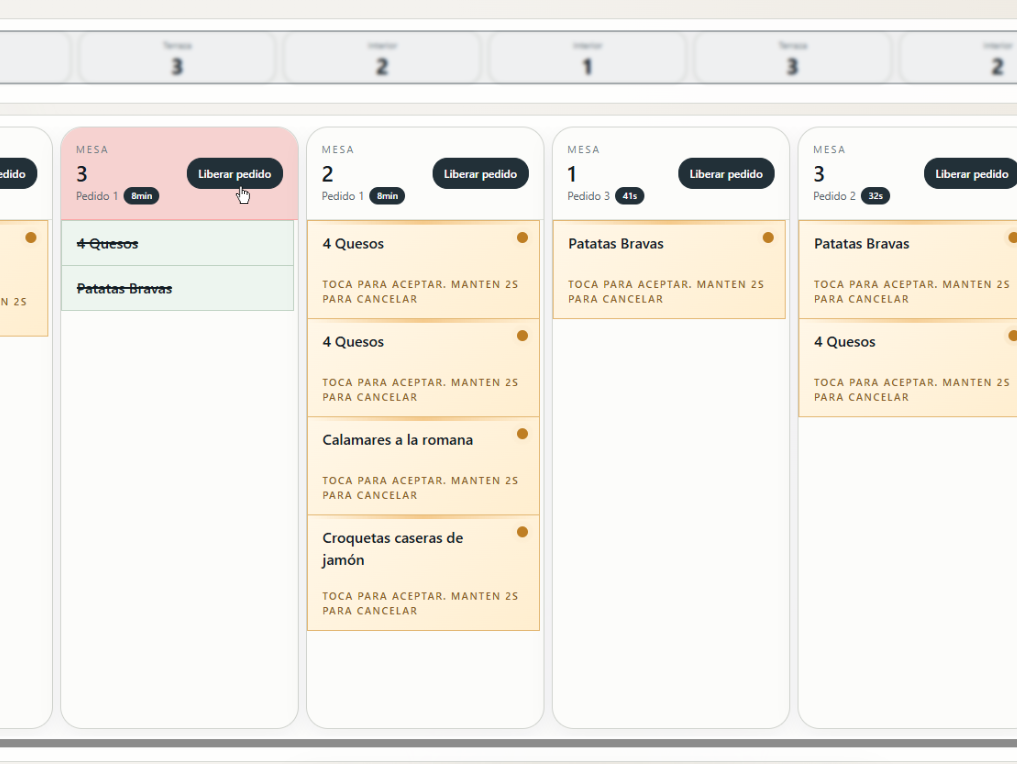
When the table is complete, kitchen releases the order so floor staff can run it in sync.
- ✓ Avoids uncoordinated runs
- ✓ Visual mark of released order
- ✓ Fewer questions between kitchen and floor
Change management
Cancellations and adjustments, without chaos
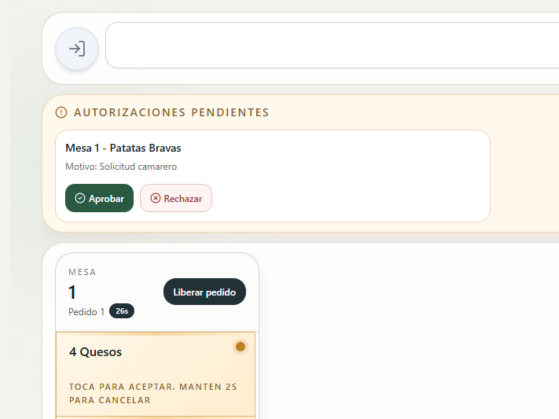
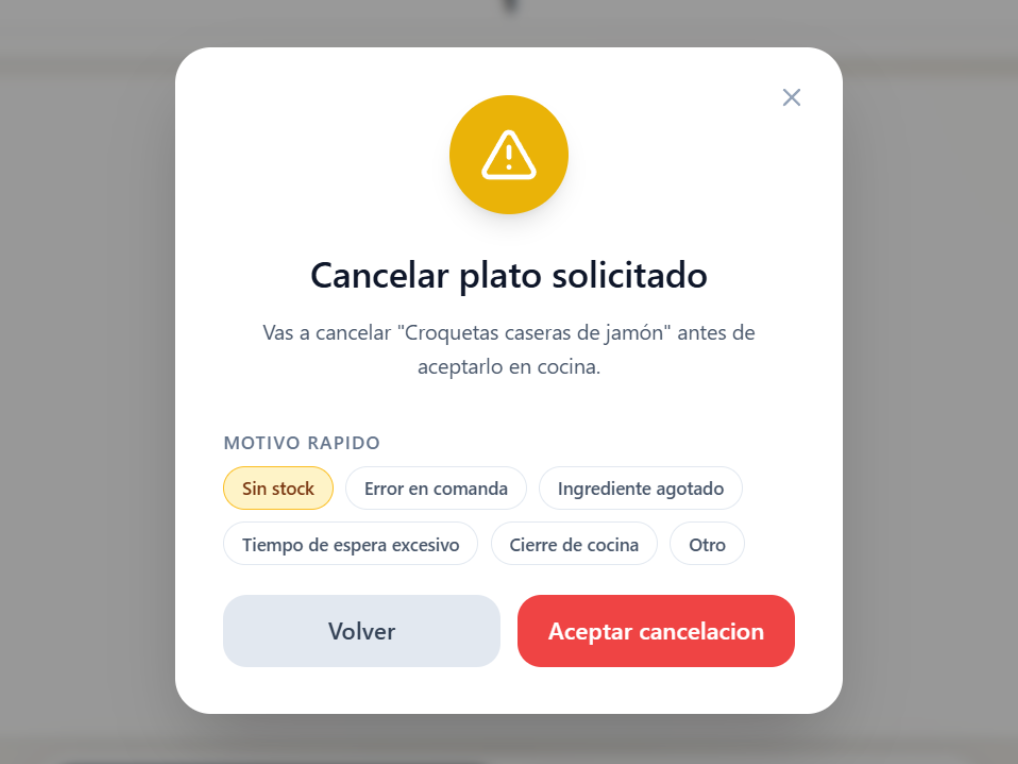
If floor staff requests a cancellation or change, kitchen receives it in a dedicated block.
Request inbox
You see who asked for the change, which table, and which dish.
Immediate response
Approve or reject instantly to avoid delays.
Everything is traceable
The team knows what happened without relying on verbal memory.
Service control
Active and completed in the same app
Kitchen can focus on in-progress work and review recent completed orders when needed.
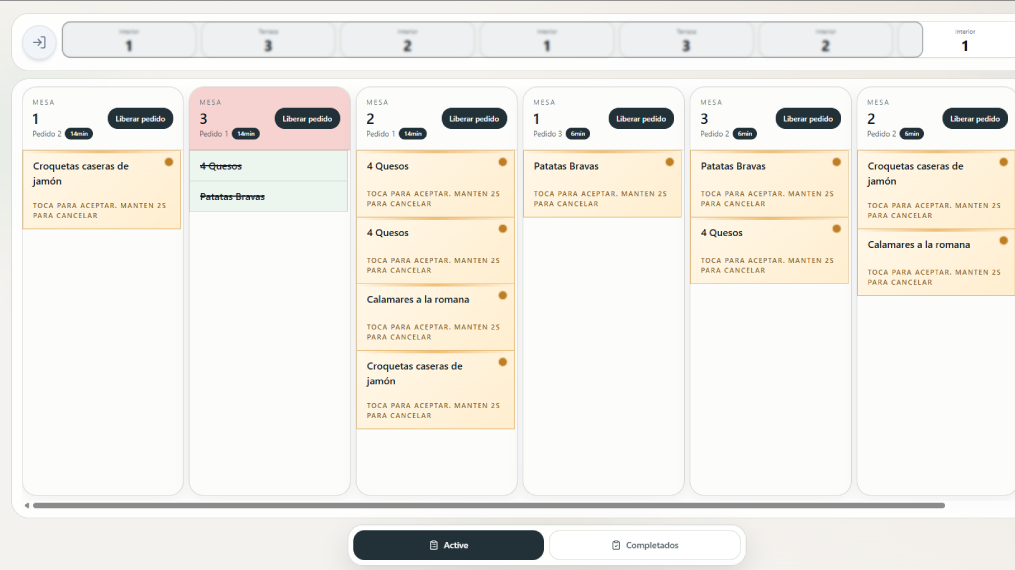
Active view
Order columns to work by priority.
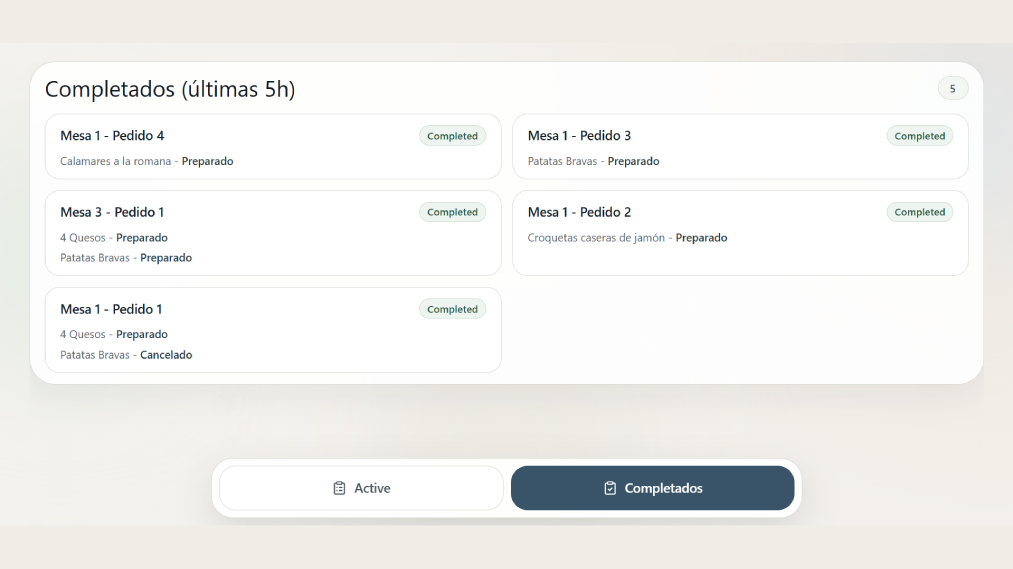
Completed view
Recent history to validate what already went out.
Always attentive
Alerts that help avoid missed dishes
The screen reinforces new entries, orders ready to release, and important changes.
- ✓ Optional sound when new orders arrive
- ✓ Visual highlight for newly arrived orders
- ✓ Clear messages after each action
- ✓ Connection indicator to work with confidence
Kitchen settings
Adjustments to fit your operation
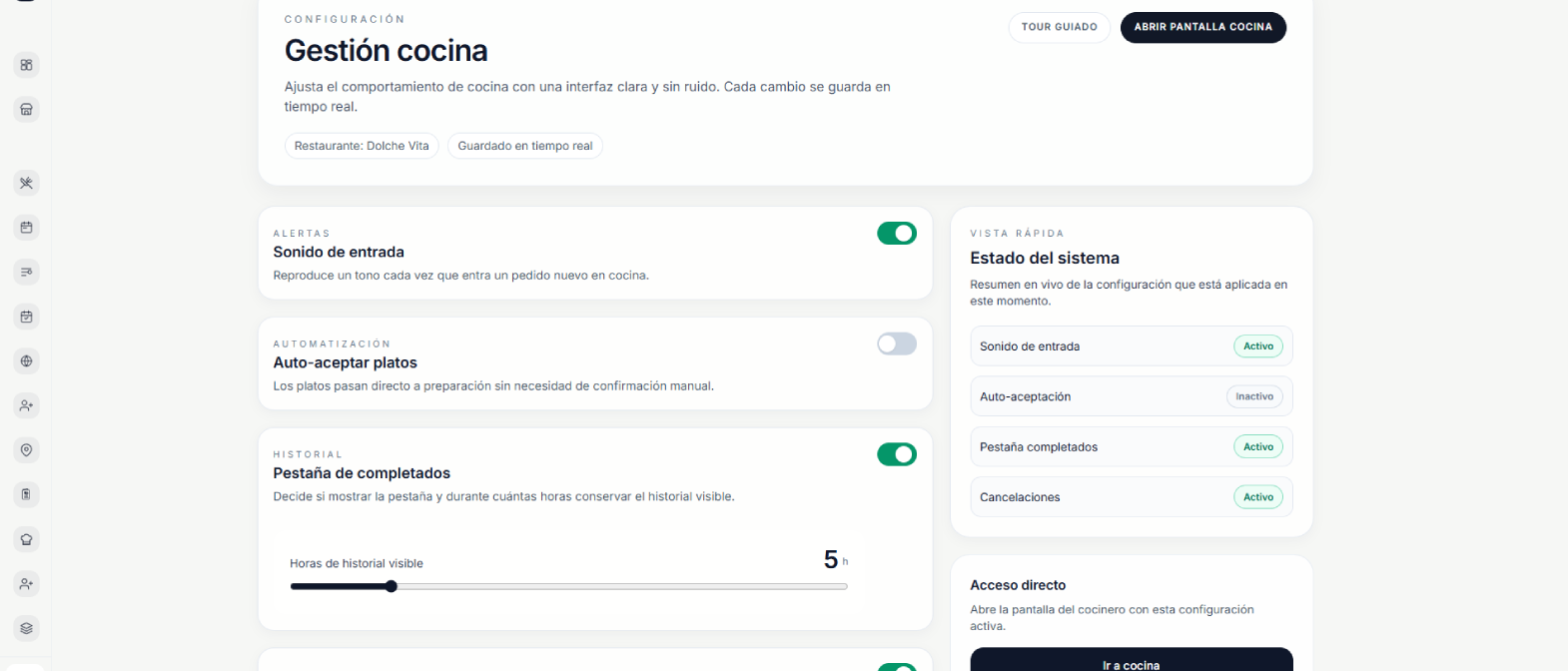
Each restaurant decides how to work: sound, auto-accept, cancellations, and history hours.
Work rhythm
- Sound on new order on/off
- Auto-accept new dishes optional
- Show completed tab on/off
History control
- Visible completed hours adjustable
- Notify floor cancellations on/off
- Consistent shift operation stable
SitEat Kitchen
Let kitchen set the pace of service
With SitEat Kitchen, every dish moves clearly and every table gets orders on time.